

Your Professional Back Office.
Forward emails, track jobs, send invoices, and see your money clearly — all in one command center built for independent work.
See Ten99 in action
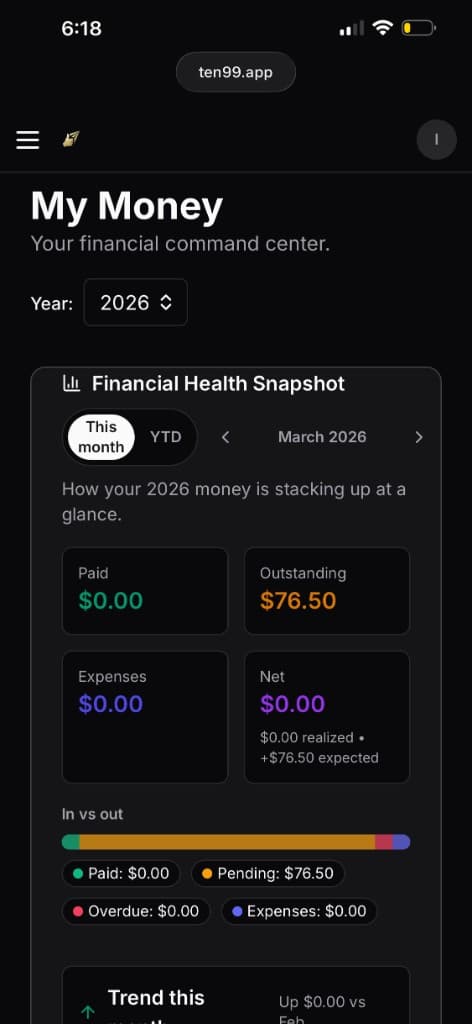
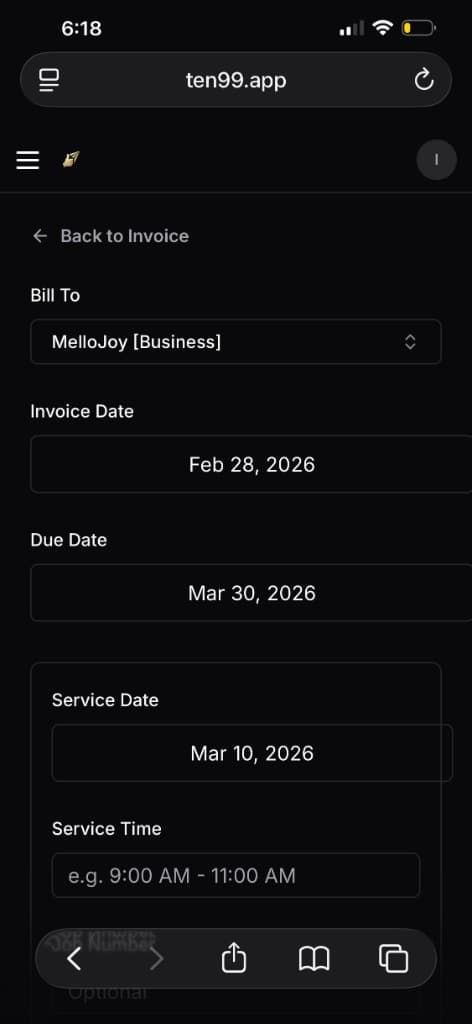
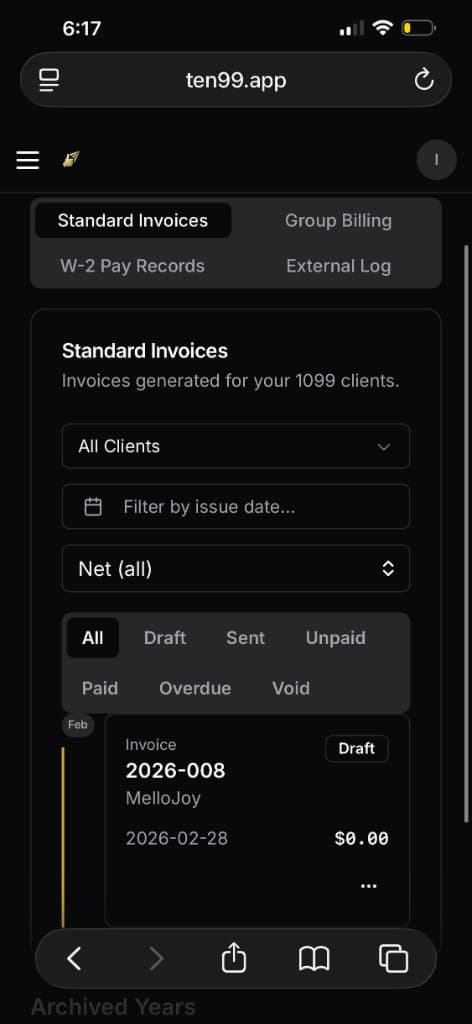
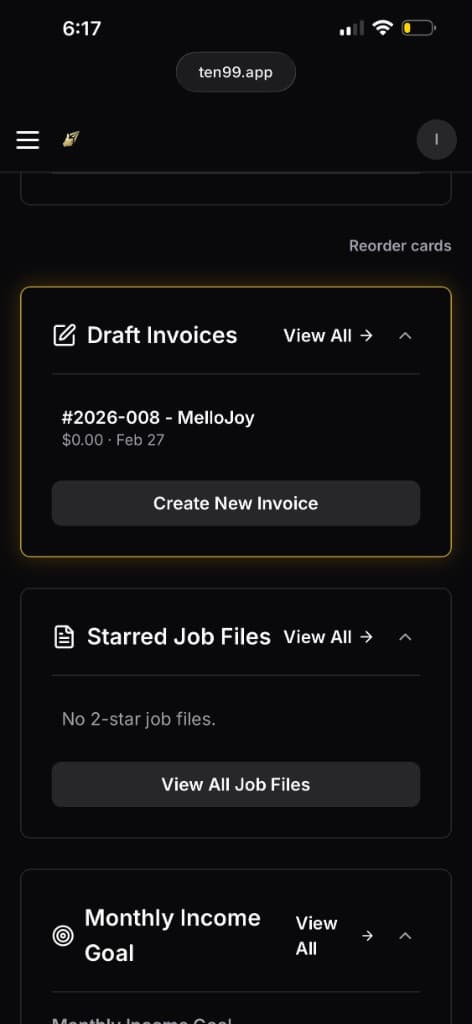
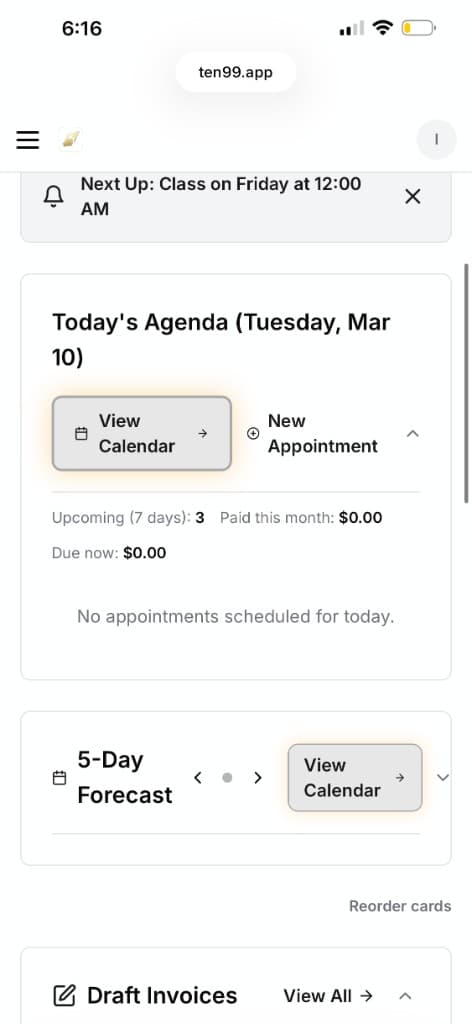
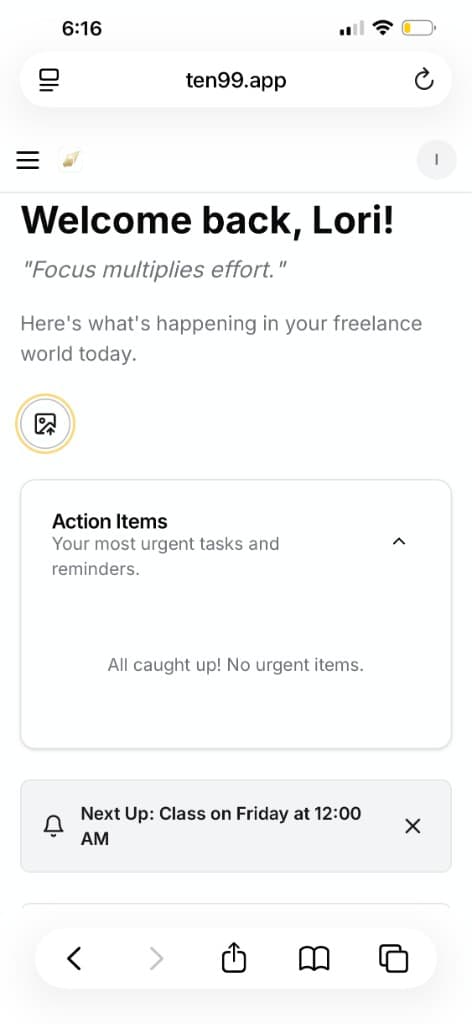
Built for independent workers who do it all
Interpreters, freelancers, mobile service pros, creatives, consultants, and other solo or small independent businesses who manage their own jobs, clients, invoicing, and admin.
Built for real independent work: fast-moving, email-driven, detail-heavy, and often on the go.
Stop juggling. Start using.
Stop juggling
- ×Email threads
- ×Calendar apps
- ×Invoice templates
- ×Spreadsheets
- ×Notes apps
- ×Scattered files
Start using
- One dashboard
- One workflow
- One place to track what's next
See the workflow
Email → Job → Calendar → Invoice → Money
Everything connected, from first request to final payment.
.png&w=1200&q=75)
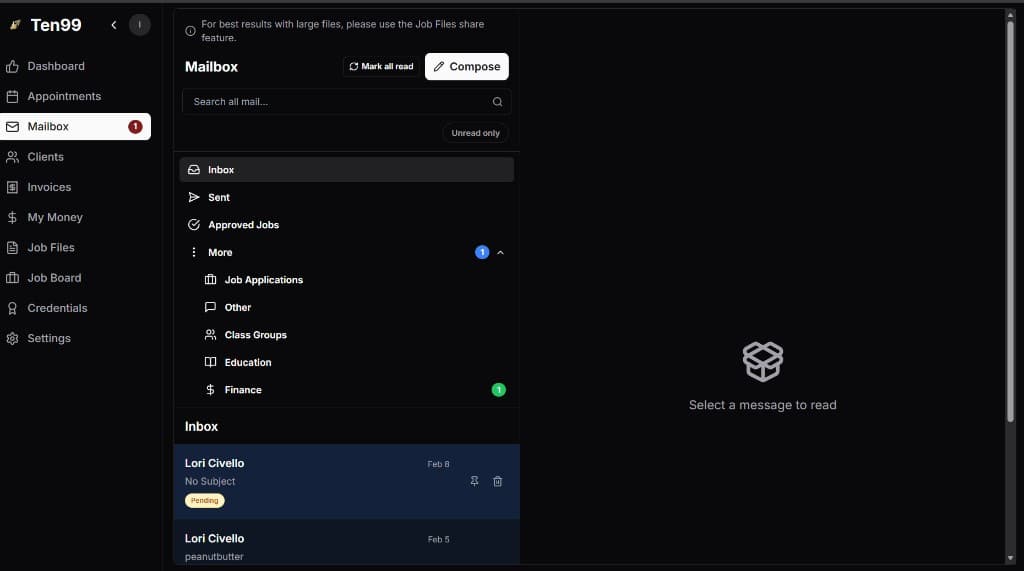
The Magic Is The Mailbox.
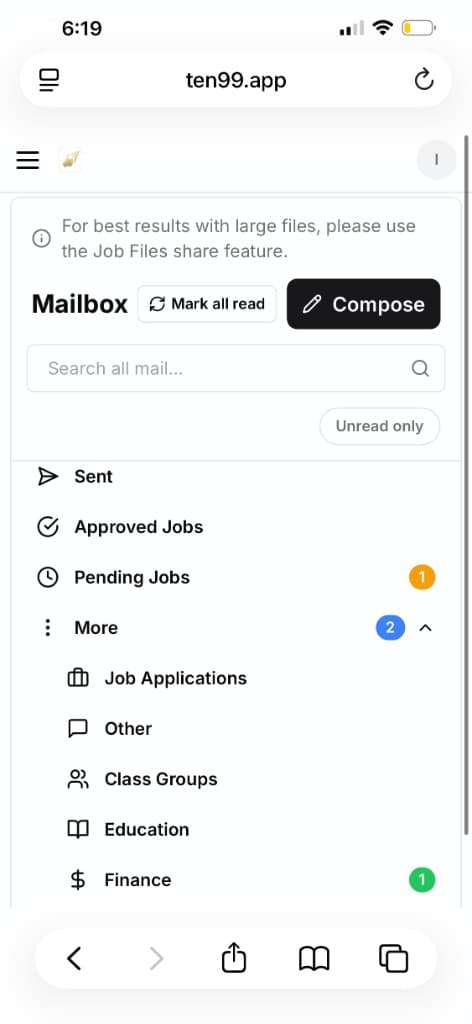
Forward a client email → Ten99 creates the job, connects it to the client, syncs your calendar, and keeps the project organized.
Forward one email
Ten99 extracts the details
Job created · Calendar updated · Invoice ready
.png&w=1920&q=75)
Less data entry. More done.
Inbox → Ten99 → Scheduled + Organized + Ready to Bill
The Goldilocks of business apps.

Not a bloated system with 400 features you'll never touch.
Not a pile of single-purpose tools that don't talk to each other.
Ten99 is just right: the essentials you actually need, working together in one simple command center.
What independent contractors are saying
“My favorite feature is the 'What's Next' section on the dashboard. It helps me relax because I'm not constantly wondering if I missed something or forgot where I'm supposed to be. Ten99 gives me that calm, clear feeling of knowing what's coming next.”
Lori C.
Independent contractor
“I use Z/P every day, so having that dashboard integrated into Ten99 is huge for me. It really does bring together the things interpreters actually need in one place—schedule, job details, money, and the daily tools I already rely on.”
Fred B.
Educational interpreter
“The Magic Mailbox feels like actual magic. I forward an email and suddenly the job, the details, and the invoice are all right there. It saves so much time and cuts out so much of the annoying back-and-forth admin work.”
Gina M.
Freelance service provider
“I love the photo-to-appointment feature. I'm always getting reminder cards, flyers, or printed schedules, and it's honestly kind of fun how quickly Ten99 turns that into something usable. One click and it's where I need it.”
Janet R.
Independent contractor
“For me, the biggest win is that everything finally talks to everything else. My jobs, calendar, clients, files, and invoices aren't scattered across five places anymore. Ten99 makes my business feel a lot more professional—and a lot less chaotic.”
Marcus D.
Freelancer
“I needed something that worked fast on busy days and didn't feel like learning a whole corporate system. Ten99 feels simple in the right ways. I can check what I need, take action, and move on with my day.”
Tanya S.
Contractor and parent
Everything You Need, All in One Place
Intelligent Scheduling
Centralized Client Hub
Effortless Invoicing
Job Files + Message Board
Credentialing + Compliance
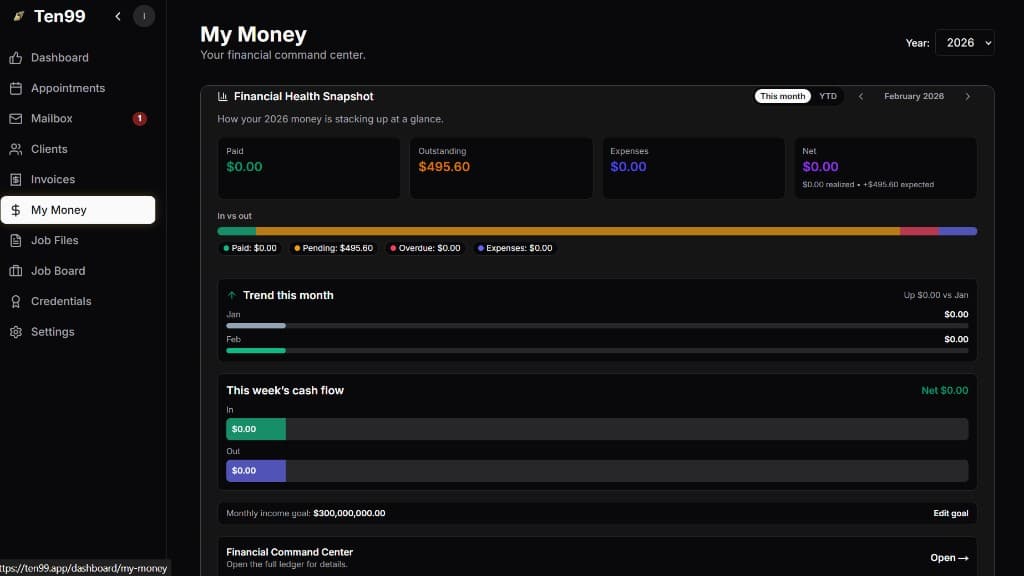
My Money (CPA-Friendly)
How the Magic Mailbox works
Step 1: Get a Job Offer
A client sends a job offer or appointment request to your email.
Step 2: Forward It
Forward that email to your unique Ten99 address (found in Inbox settings).
Step 3: AI Does the Heavy Lifting
Ten99 extracts date, time, client details, and rate.
Step 4: It's Handled
The job is added to your calendar automatically—or saved in Pending Jobs for one-click approval.
Run your 1099 business with everything in one place
Your finances, your time, your work—working together.
Ten99 keeps everything connected and organized, so your business runs smoothly and stays on track.
Designed for real 1099 work—flexible, mobile, and built to support how you already operate.
Everything included. No tiers. No confusion.
Monthly
$49/month
Yearly
$490/year
2 months free
- Full software platform
- Mobile companion app
- Unlimited tracking, scheduling, and workflows
- Built for real 1099 life—not just accounting
One place for everything
- Track income, expenses, and mileage
- Manage your schedule and jobs
- Keep everything organized automatically
- No more bouncing between tools
Stay ahead of your business
- See what's coming in
- Know what you owe
- Keep everything clear and on track
Built for real life
- Snap, log, and track on the go
- Use it between jobs, in your car, in real time
- Designed for how 1099 workers actually work
One system, everything connected
Spreadsheets, notes apps, mileage trackers, invoicing tools, and calendars—Ten99 brings them all together.
One place for everything.
Why Ten99 feels different
Other tools track your business. They show you what already happened.
Ten99 helps you run it. It keeps you organized, aware, and in control—every day.
Other tools are built for accountants. They assume you already know what you're doing.
Ten99 is built for real people. Clear, simple, and usable when life is busy.
Other tools live in one lane—finances or scheduling or tracking.
Ten99 connects everything. Your time, money, and work are all connected.
What this replaces
Instead of paying for accounting software ($20–$40), scheduling tools ($10–$25), mileage trackers ($5–$15), and more—you get one system that does it all.
From $49/month. Cancel anytime.
Built by a freelance interpreter, for the field
Ten99 was created by someone who lives the 1099 life—contracts, varied rates, multiple systems, and the constant back-and-forth of independent work. It's designed for interpreters, freelancers, creatives, service providers, and anyone who wants their business tools to actually fit how they work.
Who it's for
Independent professionals who manage their own work, clients, and time.
Built for freelancers, creatives, interpreters, and service providers who want everything working together.
Start with everything unlocked. No tiers. No upgrades. No surprises. Try it for a month and see how it fits.
Questions independent contractors usually ask
How does Ten99 turn emails into scheduled jobs?
Forward an offer to your unique Ten99 email address. Ten99 extracts date, time, client, and rate—then creates the job automatically or sends it to Pending Jobs for one-click approval.
What if a job conflicts with something on my calendar?
Ten99 flags overlaps with Conflict Detected so you can Edit & Review before committing.
Will Ten99 help me get paid?
Yes—create, send, and track invoices, and auto-draft invoices from completed jobs.
Can Ten99 help with income, expenses, and taxes?
My Money tracks 1099 income, expenses, and estimated tax savings with CPA-friendly snapshots.
Do I need a desktop to sign up?
Account creation and subscription happen on our website. After that, use Ten99 on desktop and in the app with everything synced.
I already have a calendar. Do I need to switch?
That's fine. Ten99 connects the rest of your business to it—jobs, clients, invoices, and money all flow together.
I do both W-2 and 1099 work. Can Ten99 handle that?
Yes. Ten99 helps you keep the picture clear, even when your income streams are mixed.
From the Creator
I created Ten99 because I was tired of feeling scattered by the business side of independent work.
As an interpreter and interpreter educator, I was constantly juggling contracts, W-2 work, 1099 work, different rates, different systems, and too many places to track what had been submitted, invoiced, paid, or still needed attention. At the same time, I was trying to balance work, motherhood, and navigating life with breast cancer. I wanted less time spent on the back end of my business, and more time invested in meaningful work and being present with my family.
I wanted one place that could help me stay organized, understand what was coming in, and stop feeling like something might slip through the cracks.
I tried other tools, but they either had too much I didn't need or not enough of what I actually did need. So I built Ten99: one place where emails, calendars, clients, invoices, files, and finances connect.
It helps me plan more clearly, prepare better for taxes, and feel more confident about what's coming next. My hope is that it gives you that same sense of calm, clarity, and control.
With heart,
Lori
Ready to Elevate Your Business?
Give yourself the professional tools to match your professional talent.